Your finances and taxesunder control, in one app

Accounts, cards, loans, budgets and goals, with your taxes always in view. Keep personal, household and business money in separate books.

For iPhoneComing soon to the App StoreSee features
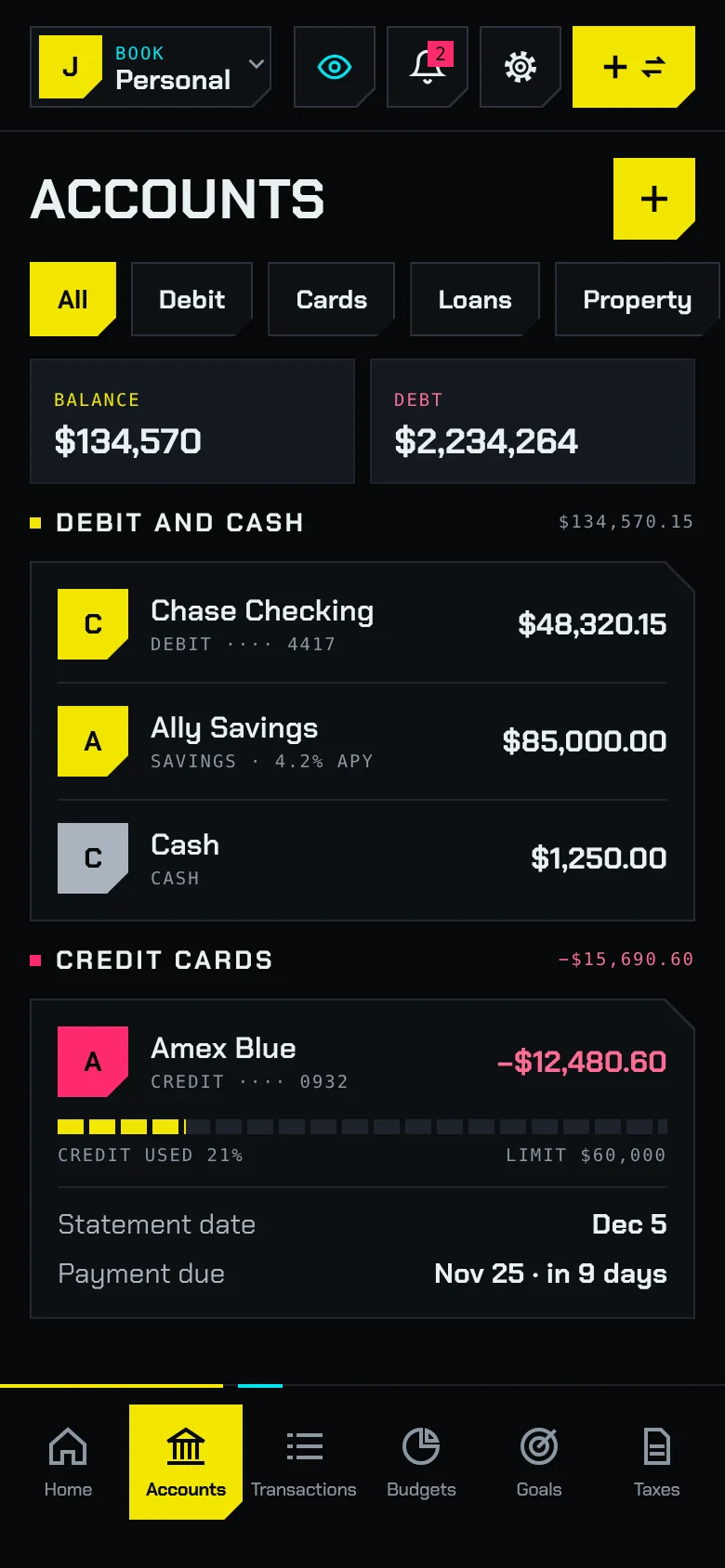
Neofin accounts screen with debit accounts, credit cards and loans
Neofin home screen with net worth, balance, debt and upcoming payments
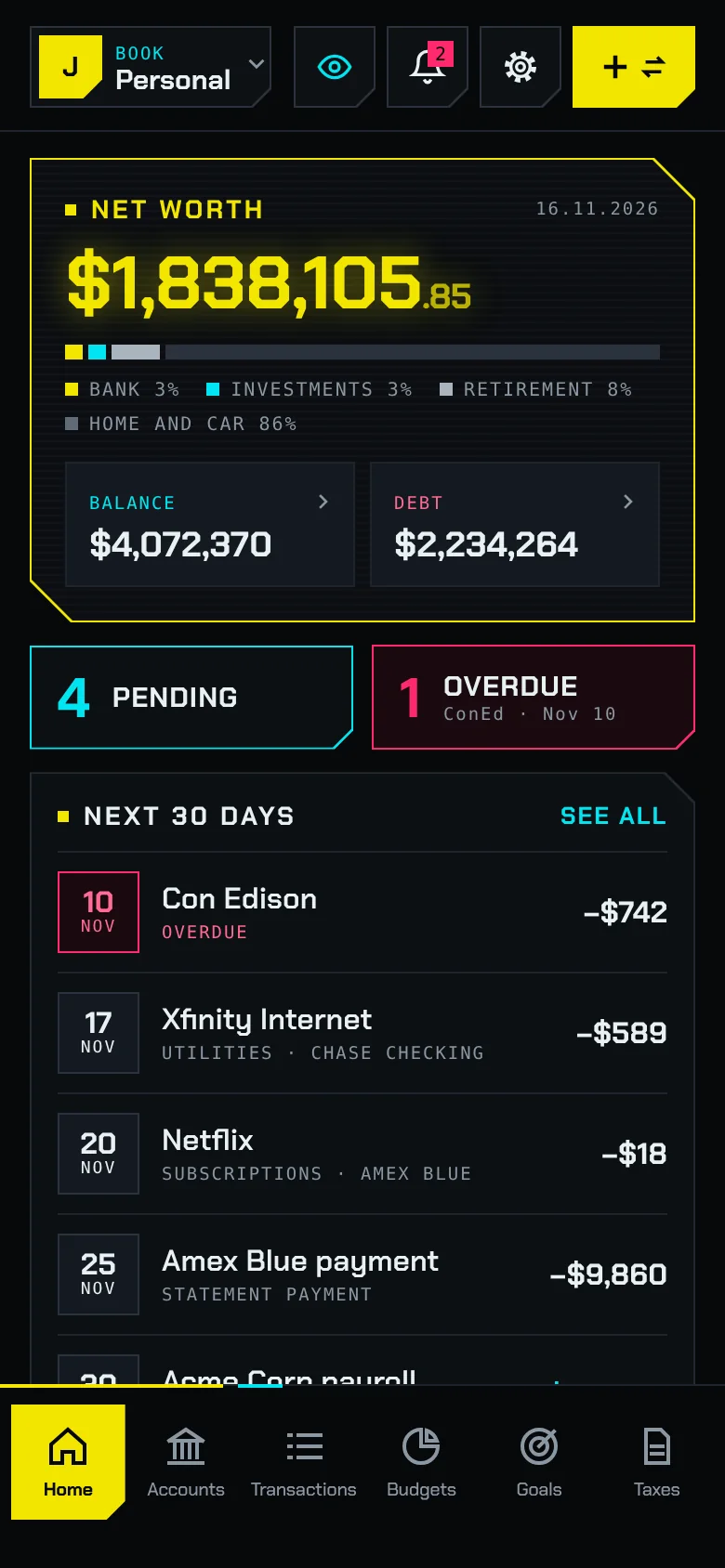
Neofin home with net worth, pending items, overdue bills and the next 30 days

How healthy are my finances?

  • Net worth broken down into bank, investments, retirement, home and car.
  • Overdue bills and transactions waiting for review, front and center.
  • Money in and money out for the next 30 days, day by day.
  • A summary of your budget, this month’s loan payments and your goals.
Neofin accounts list: debit, cash, credit cards and loans

Accounts and cards

  • Cards with statement date, payment due date, credit usage and statement balance.
  • The statement balance already accounts for purchases you split into monthly payments.
  • Loans with principal paid, annual rate and interest left to pay.
  • Your home, car, brokerage and 401(k) at their current value, counted in your net worth.
  • Hide accounts you no longer use and keep their history.
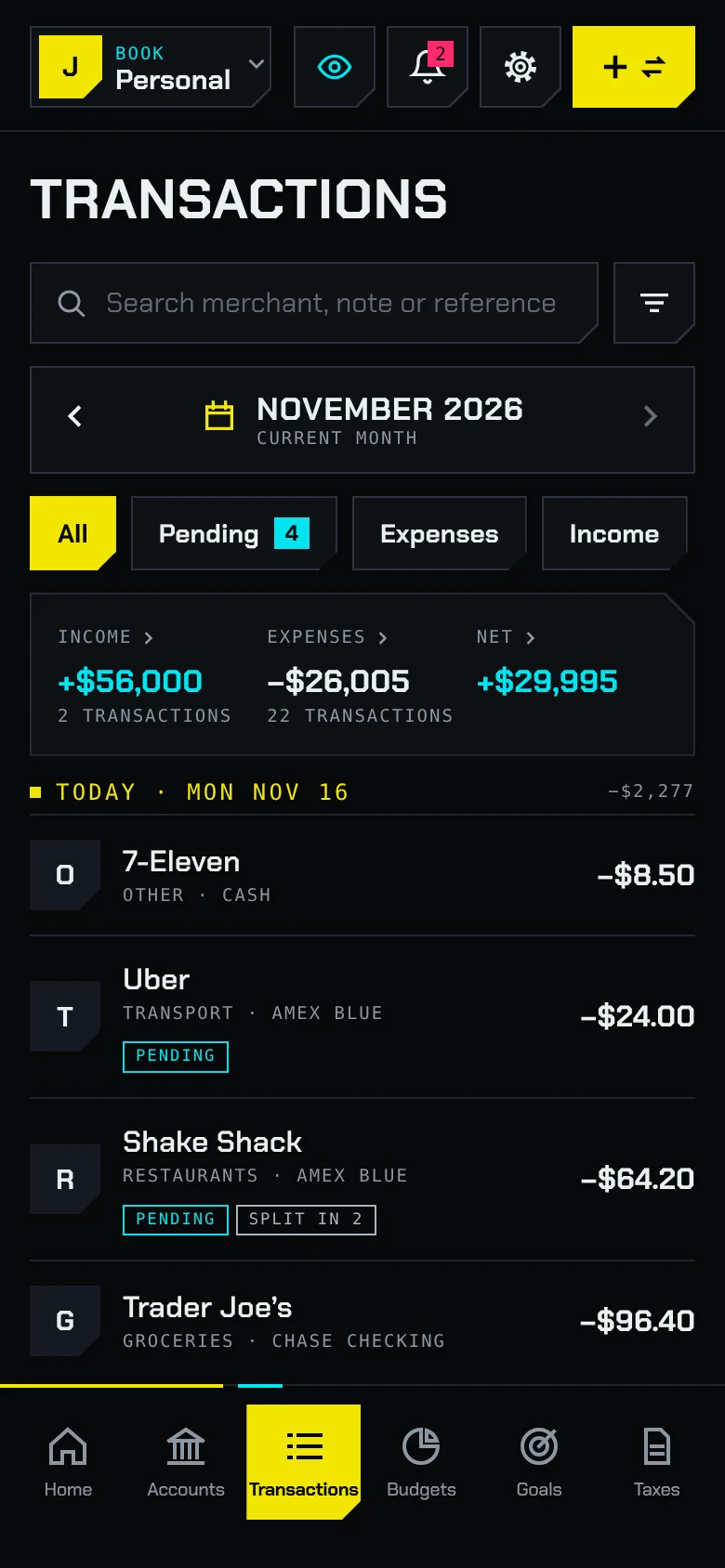
Neofin transactions for November with income, expenses, net and pending items

Transactions

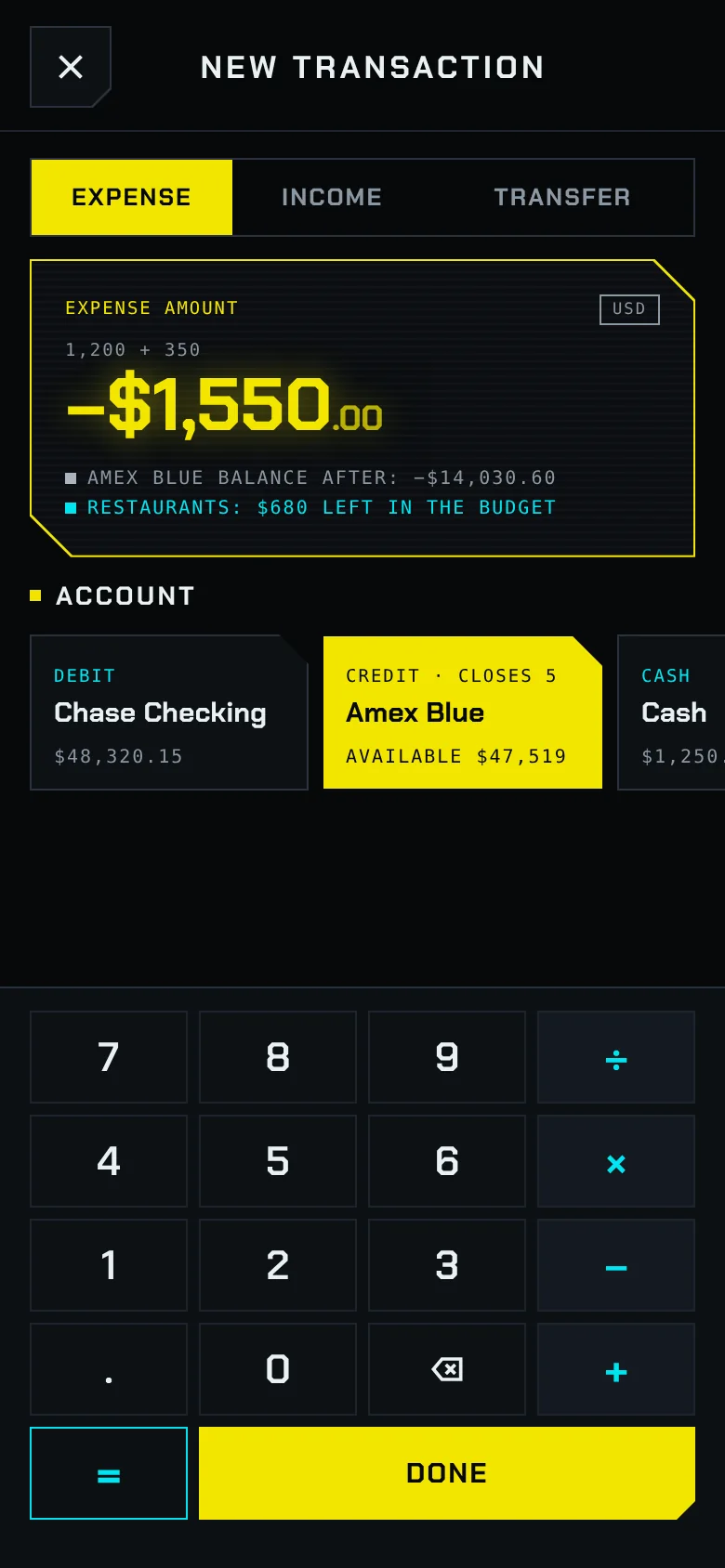
  • One button to add: you pick expense, income or transfer inside the form.
  • A built-in keypad with a calculator for typing amounts.
  • Split one expense across several categories.
  • Recurring bills like rent, Xfinity or Netflix that add themselves as pending.
  • Tap the income or expense total and the list keeps only those transactions.
  • Search by merchant, note or reference in full screen and filter by any period.
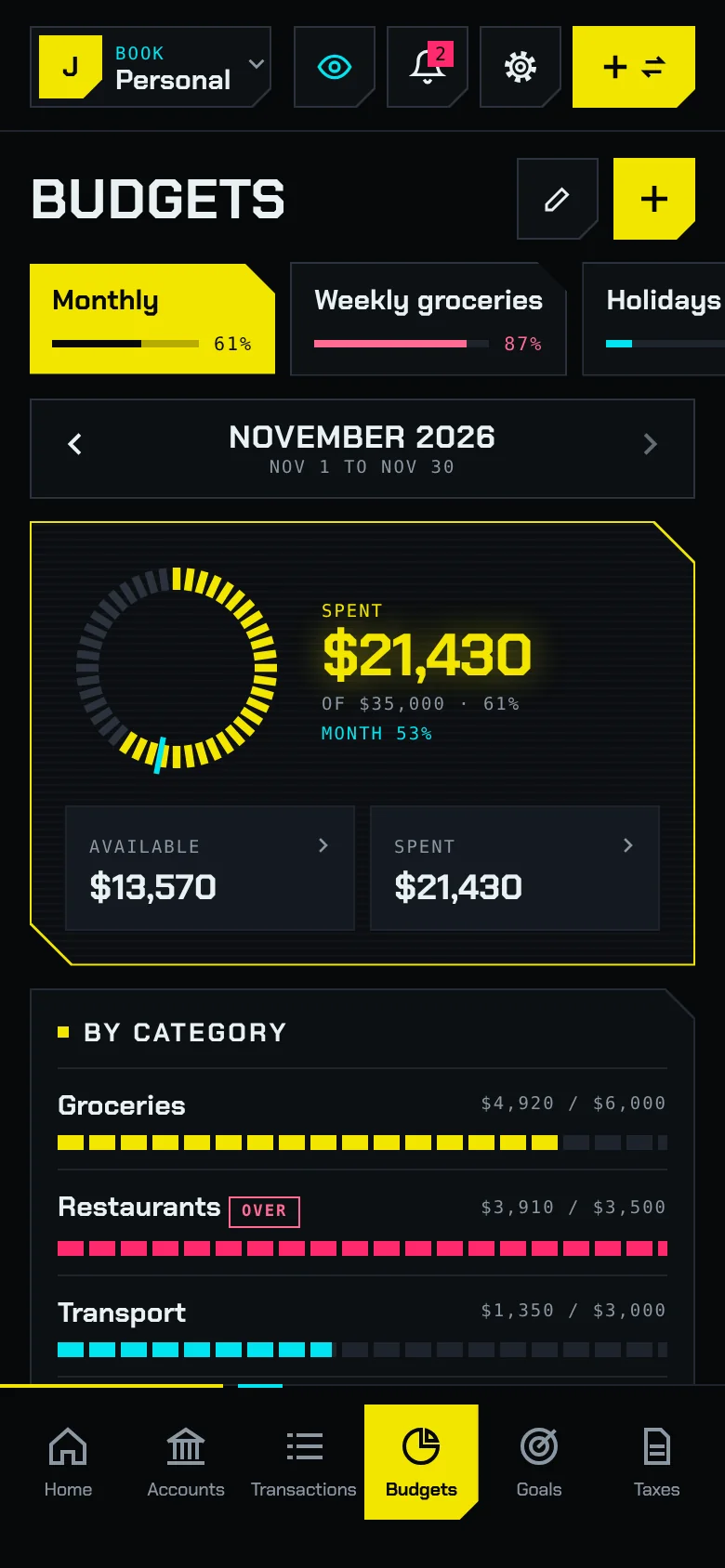
Monthly budget in Neofin with spent, available, month progress and categories

Budgets

  • Amounts per category with what you spent and what is left.
  • Pace projection: how much you will spend if you keep going like this.
  • Leftovers can roll over to the next period.
  • An alert when you reach the percentage you choose.
  • History of past periods.
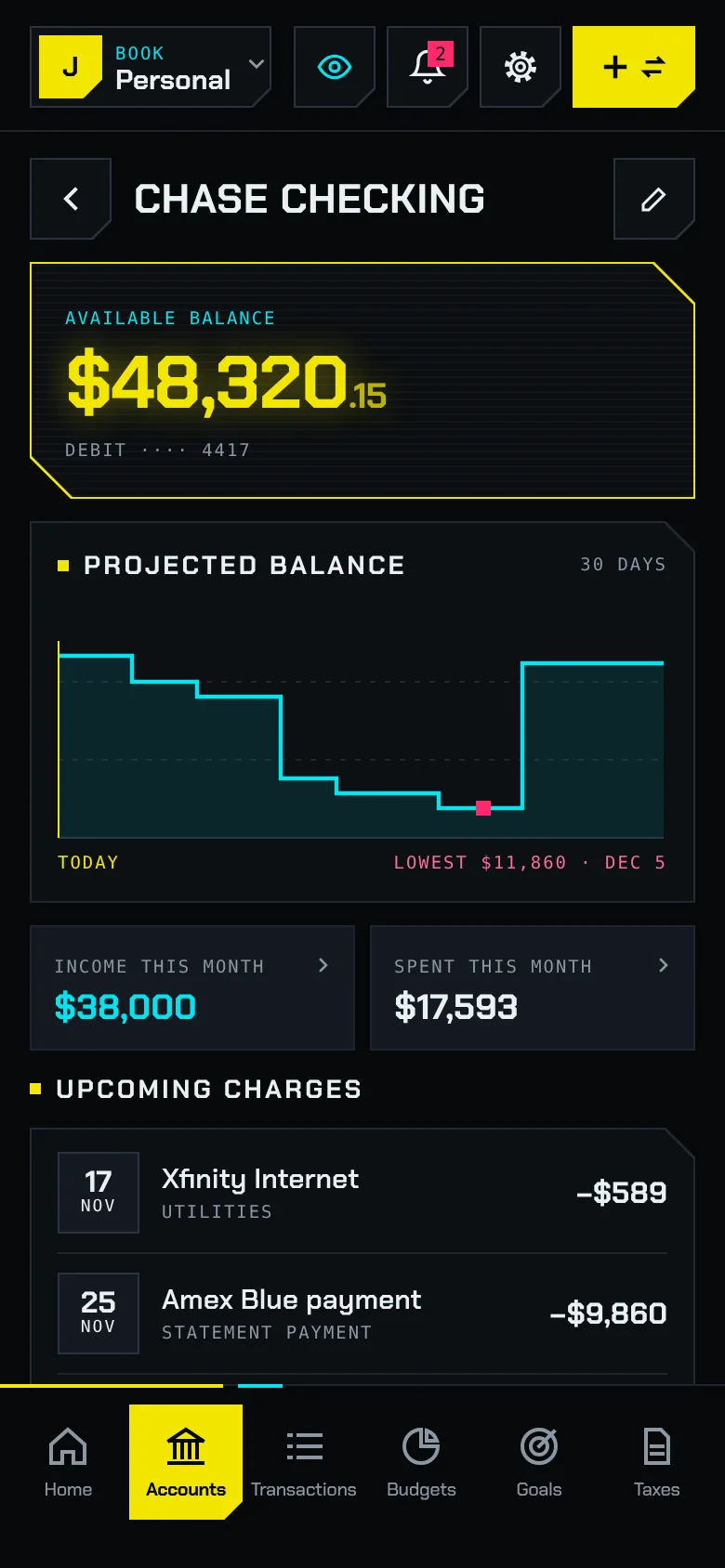
Account detail in Neofin with projected balance and lowest point of the month

Projected balance

  • A chart of the balance over the coming weeks.
  • The minimum for the period and its date, so you never run short.
  • Upcoming charges to that account and its recent transactions.
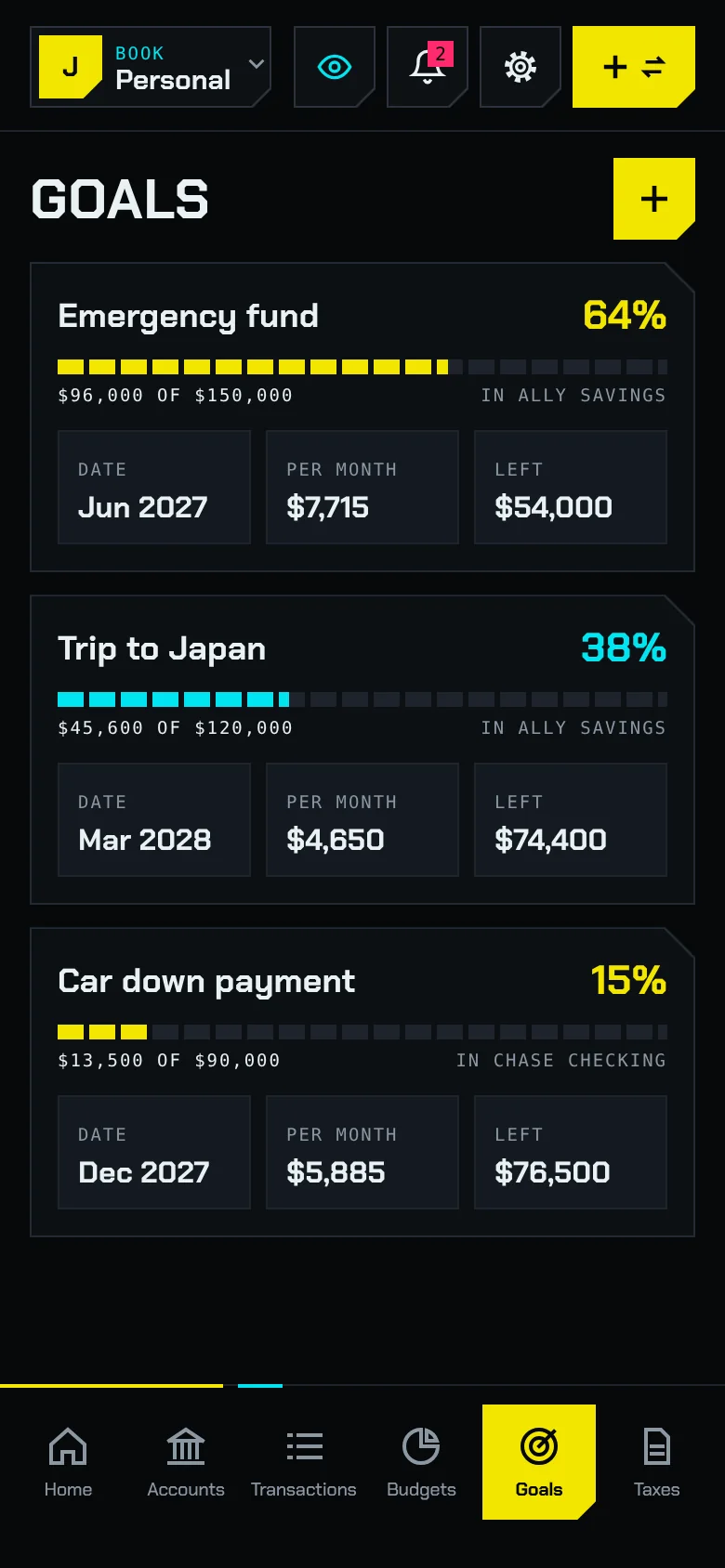
Savings goals in Neofin with an emergency fund and target date

Goals

  • Progress on every goal and whether you are on track or behind.
  • What you need each month next to what you are saving on average.
  • Goals linked to a real savings account.
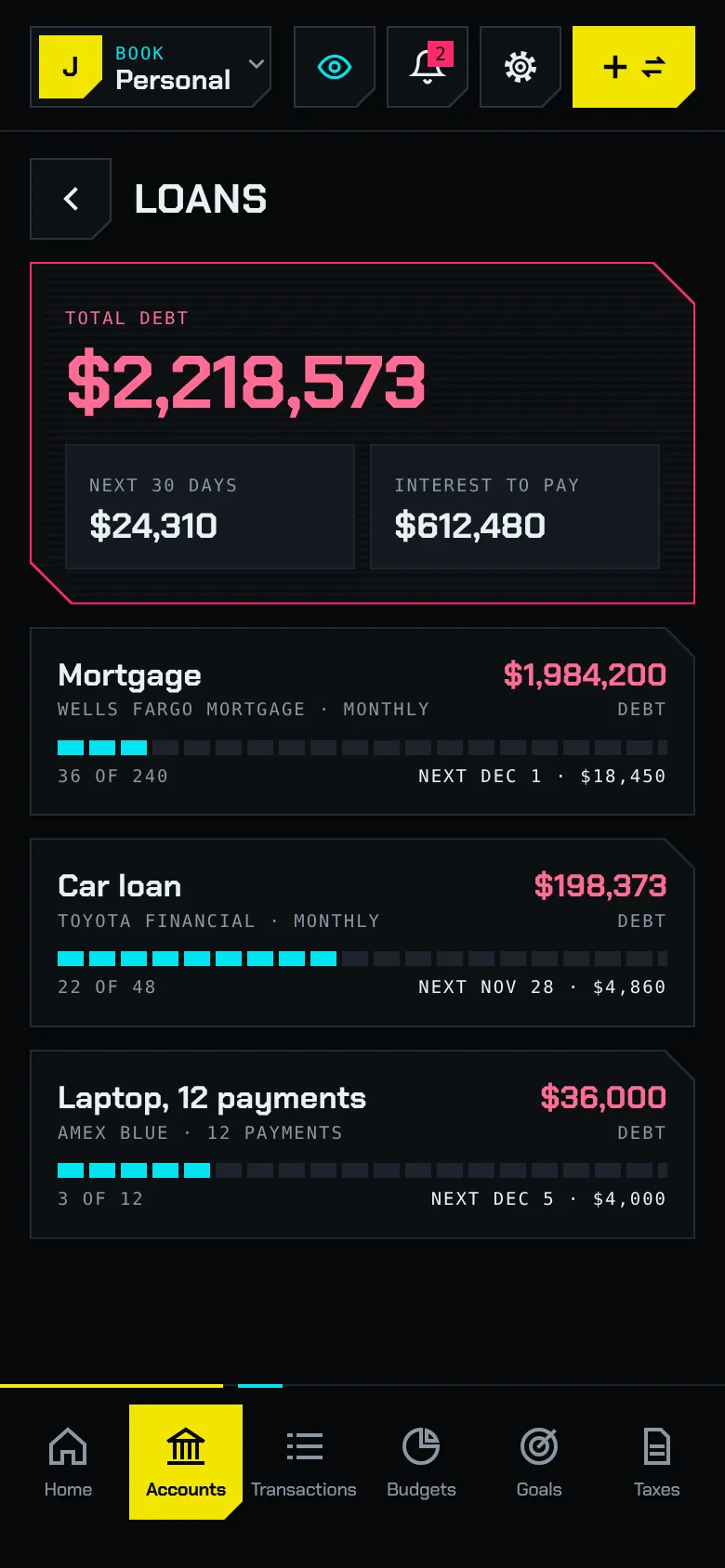
Loans in Neofin with installment plans, a mortgage and a car loan

Loans and installments

  • Monthly payment, payment number and end date for each plan.
  • Installment purchases grouped by card, like the AirPods you split into 6 payments.
  • Total for the month, what you already paid and the remaining debt.
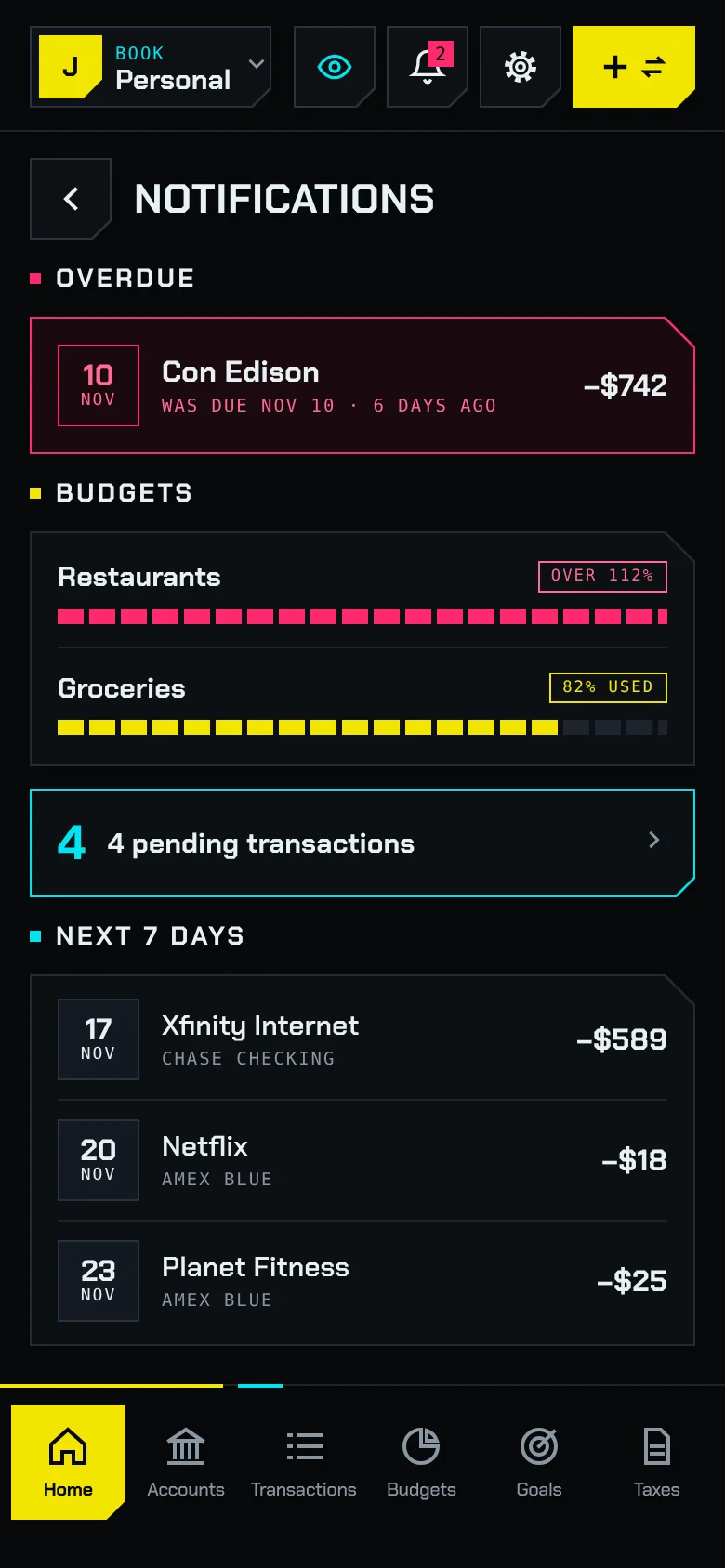
Neofin notifications with overdue bills, bills due this week and alerts

Reminders

  • Pay, reschedule or skip an overdue bill from the same list.
  • Budget alerts and goals that fall behind.
  • Notifications show the name and the date, never the amount.

Taxes, country by country

Accounts, budgets and goals work anywhere. Taxes follow each country’s own rules, so we add countries one at a time.

  • Mexico

    SAT · Filings, deductibles and CFDI invoices

    Available
  • United States

    IRS · Federal income tax

    Coming soon

How it works in Mexico

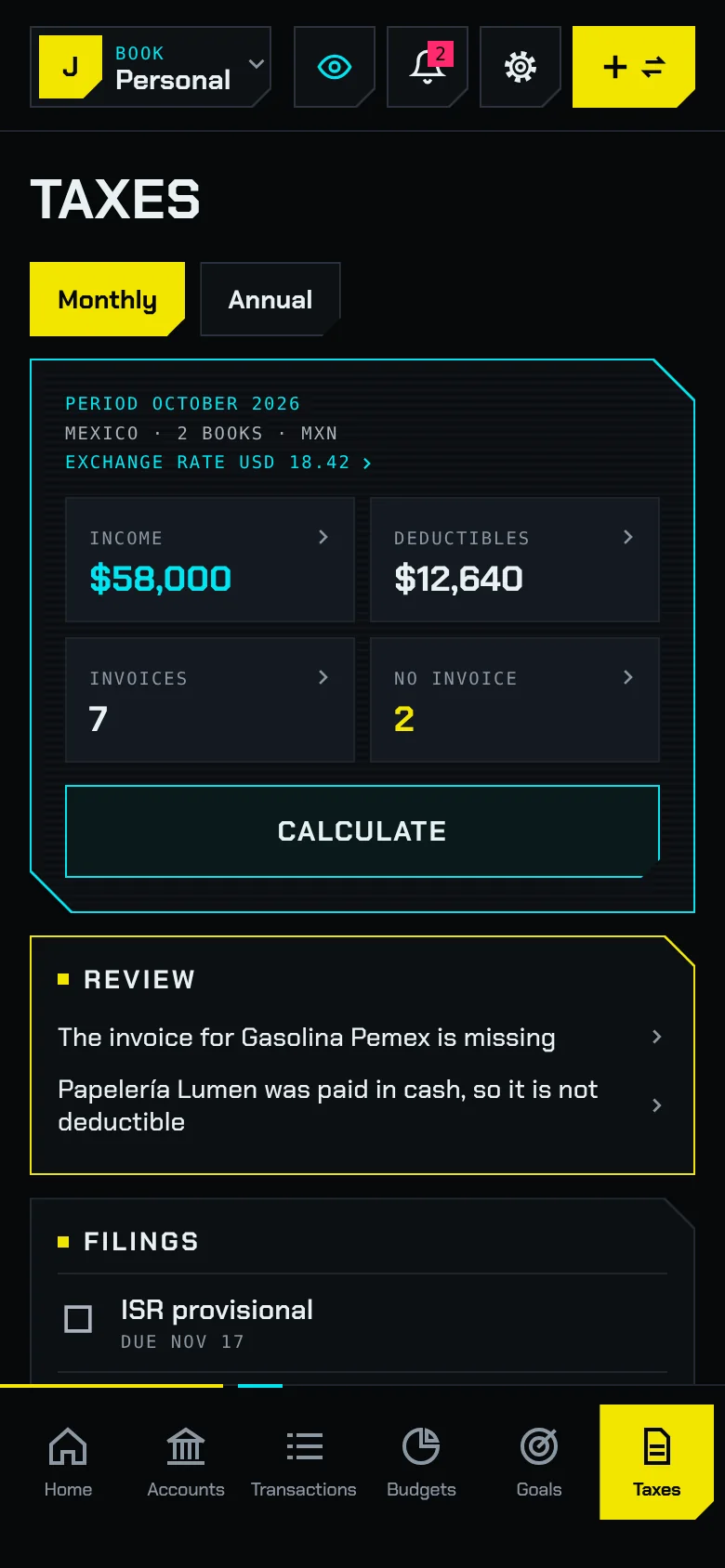
Built for individuals with professional services income or a salary. Enter your tax ID (RFC) and your regimes, and Neofin builds your tax profile with what you have to file. With Pro it adds up your income and deductibles and keeps your invoices.

  • The period’s filings with their due dates: provisional ISR, monthly IVA, DIOT and the annual return.
  • Income and deductibles for the month or the year. Tap a number to see the transactions behind it.
  • Invoices: import the XML of your CFDIs, several at once, and Neofin proposes the transaction each one belongs to.
  • Deductible expenses still missing an invoice, with a shortcut to add it.
  • Personal deductions against their caps in the annual figures.
  • If you keep a book in US dollars, its transactions are converted to pesos at Banco de México’s official rate for each day.

Figures are estimates based on current rules. They do not replace the return you file with your tax authority or a review by your accountant.

Taxes in Neofin for Mexico with the period’s income and deductibles, invoices and filings
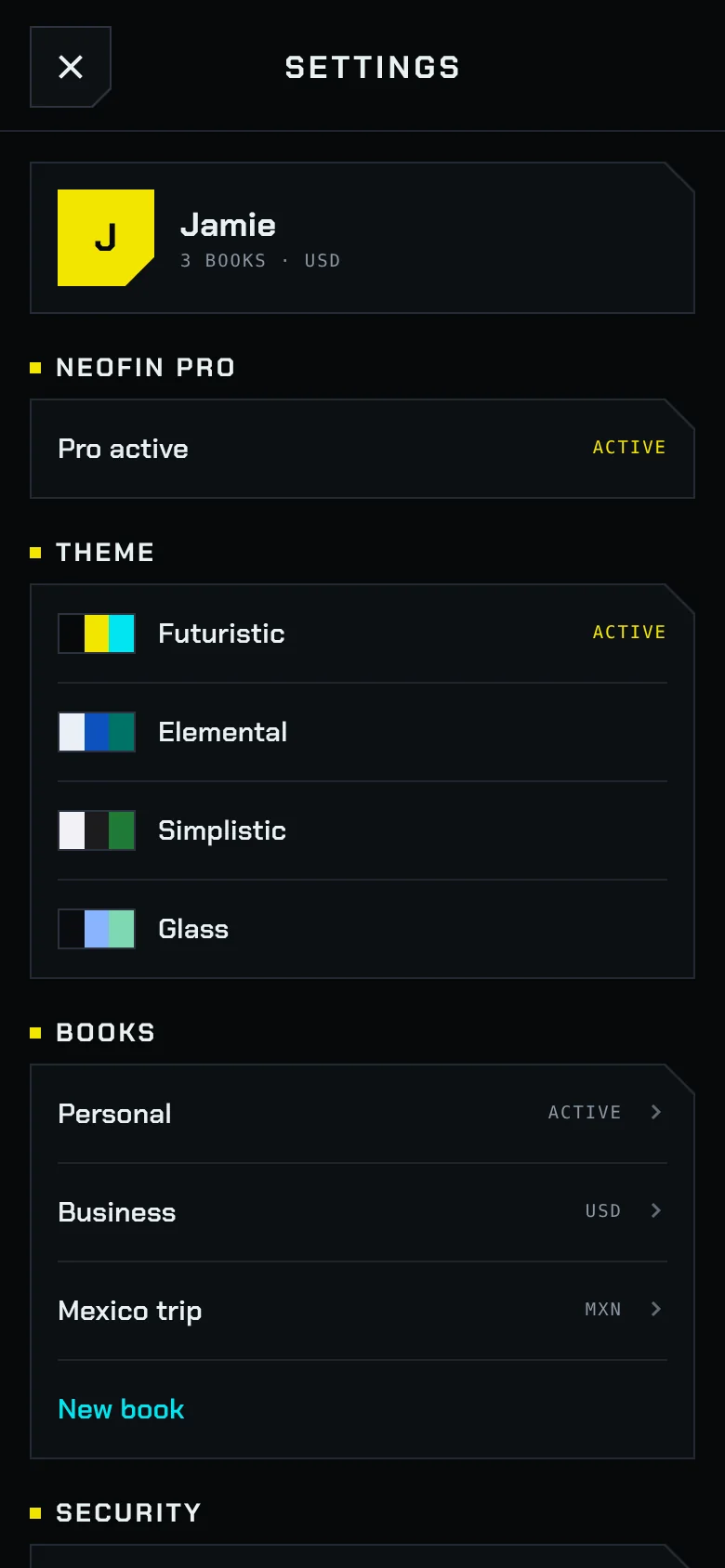
Neofin settings with themes, books and security

Separate books

Keep your personal, household, business or trip finances in separate books, each with its own accounts, categories and budgets.

  • Tap the book at the top of any screen and switch right there.
  • With Pro, each book can be in its own country and currency.
  • Each book belongs to one tax profile or to none. A trip book stays out of your taxes.
  • A tax profile adds up all of its books, and every list shows which book a transaction comes from.

Free and Pro

Neofin is free. Pro is a one-time purchase, with no subscription.

Free

  • Accounts, transactions, budgets, goals, loans and installment plans, with no limit on accounts.
  • Recurring bills, reminders and reports by month, category and merchant.
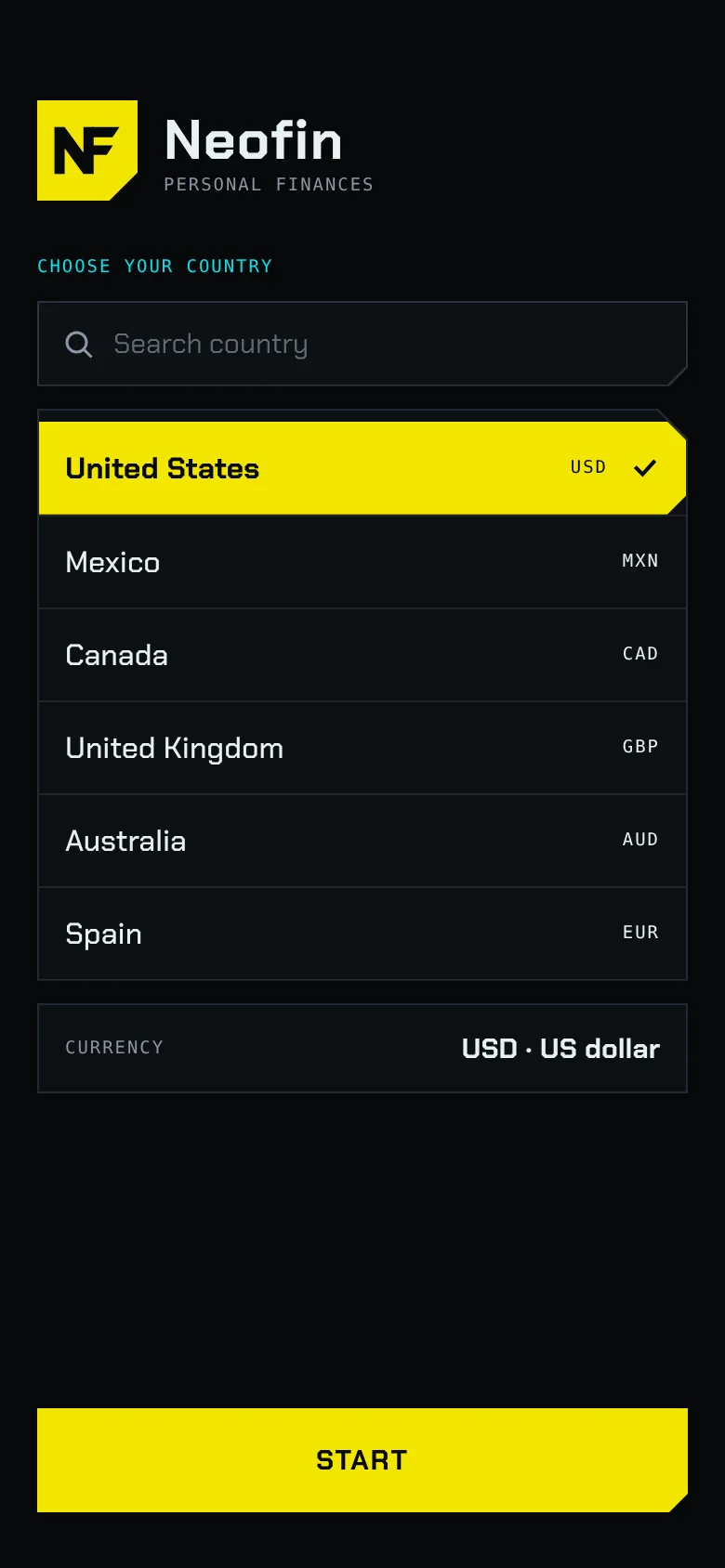
  • One book, in your country and currency.
  • A daily backup on your iPhone and a copy in your iCloud, with a password if you want one.
  • Taxes in Mexico: your tax profile, your filings and their dates.
  • Two themes: Futuristic and Elemental.

ProOne-time purchase

  • Several books, each in its own country and currency.
  • Taxes in Mexico: the period’s figures, CFDI invoices and deductibles.
  • Rules that act on their own: set part of your paycheck aside, add to a goal or warn you about a low balance.
  • A yearly yield on savings and investment accounts.
  • Reports as PDF, Excel and CSV, plus export and import of all your data.
  • The Simplistic and Glass themes, and no Pro banner.

Four themes

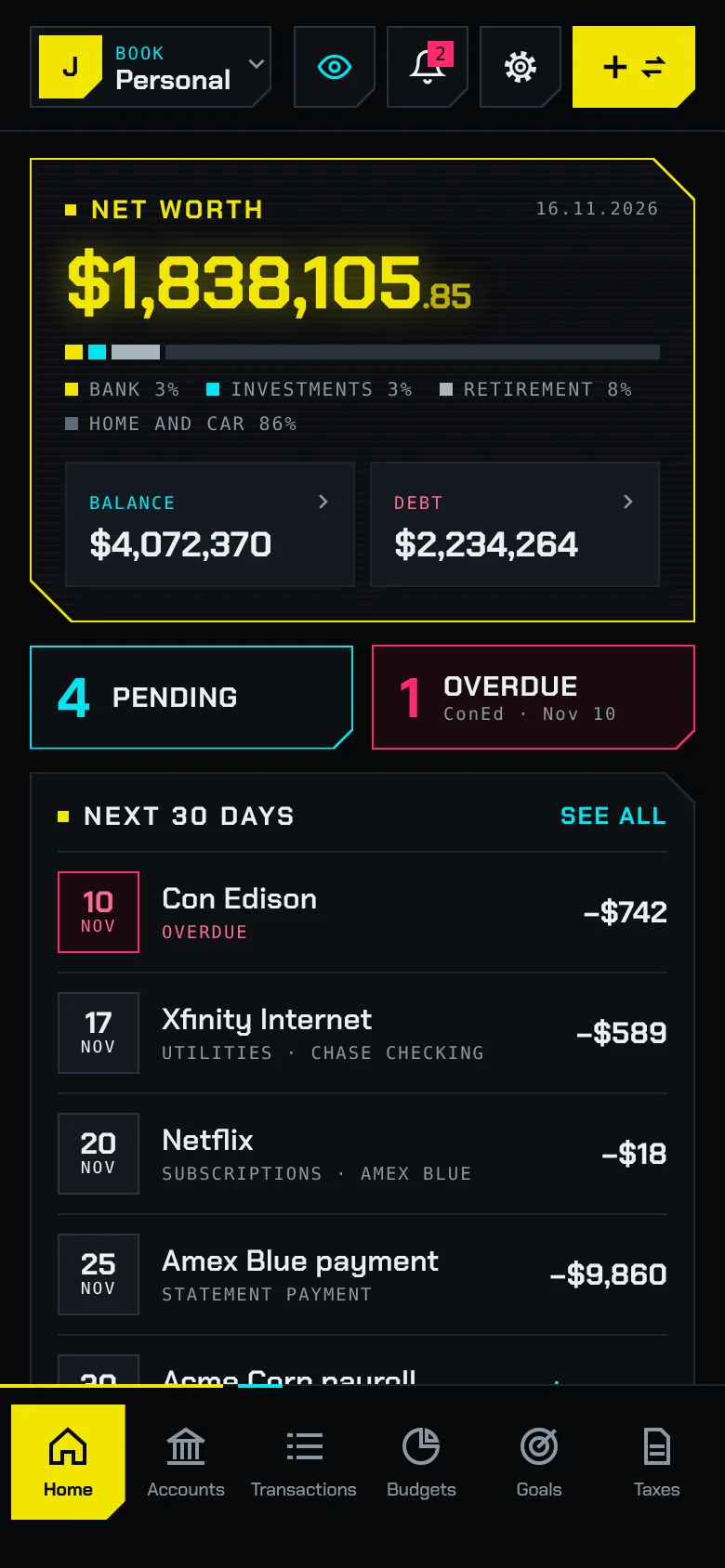
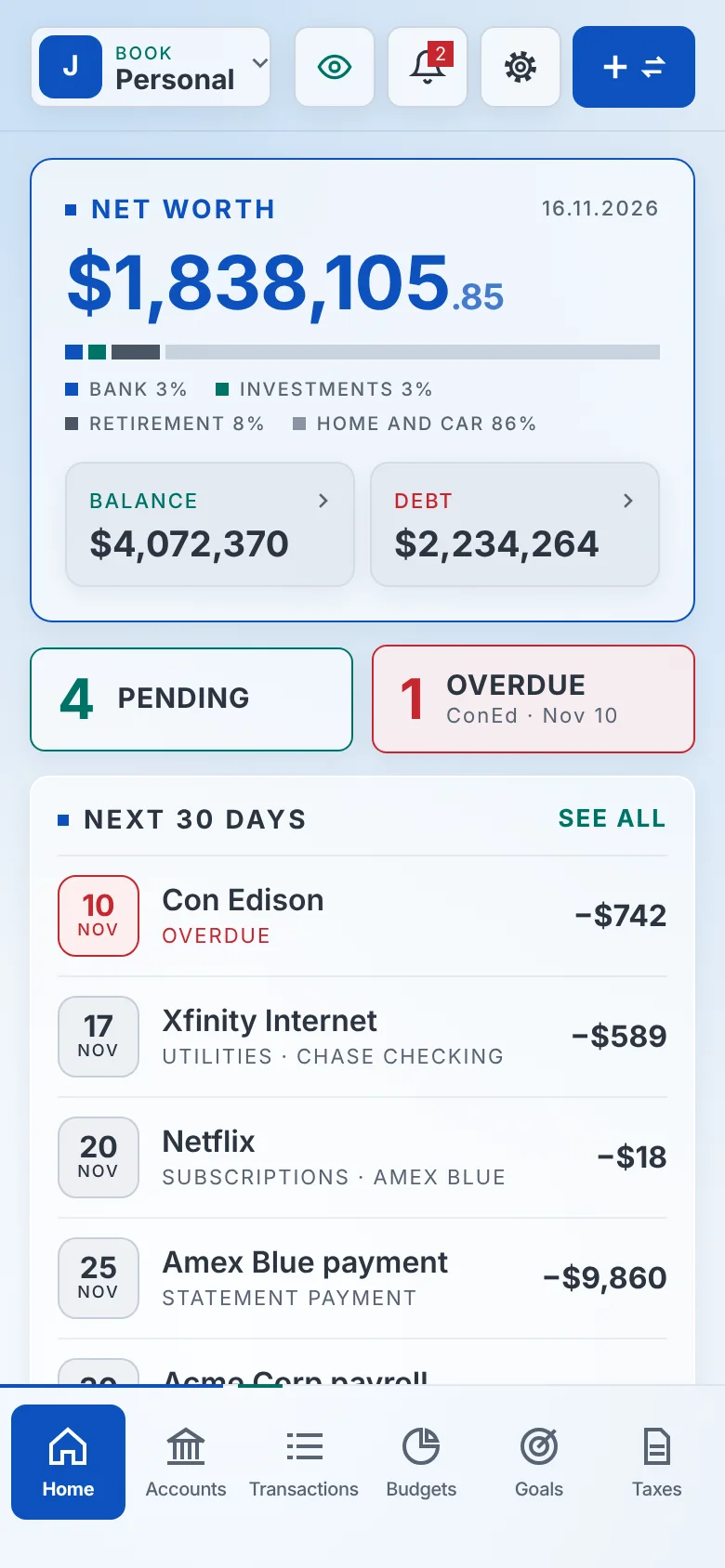
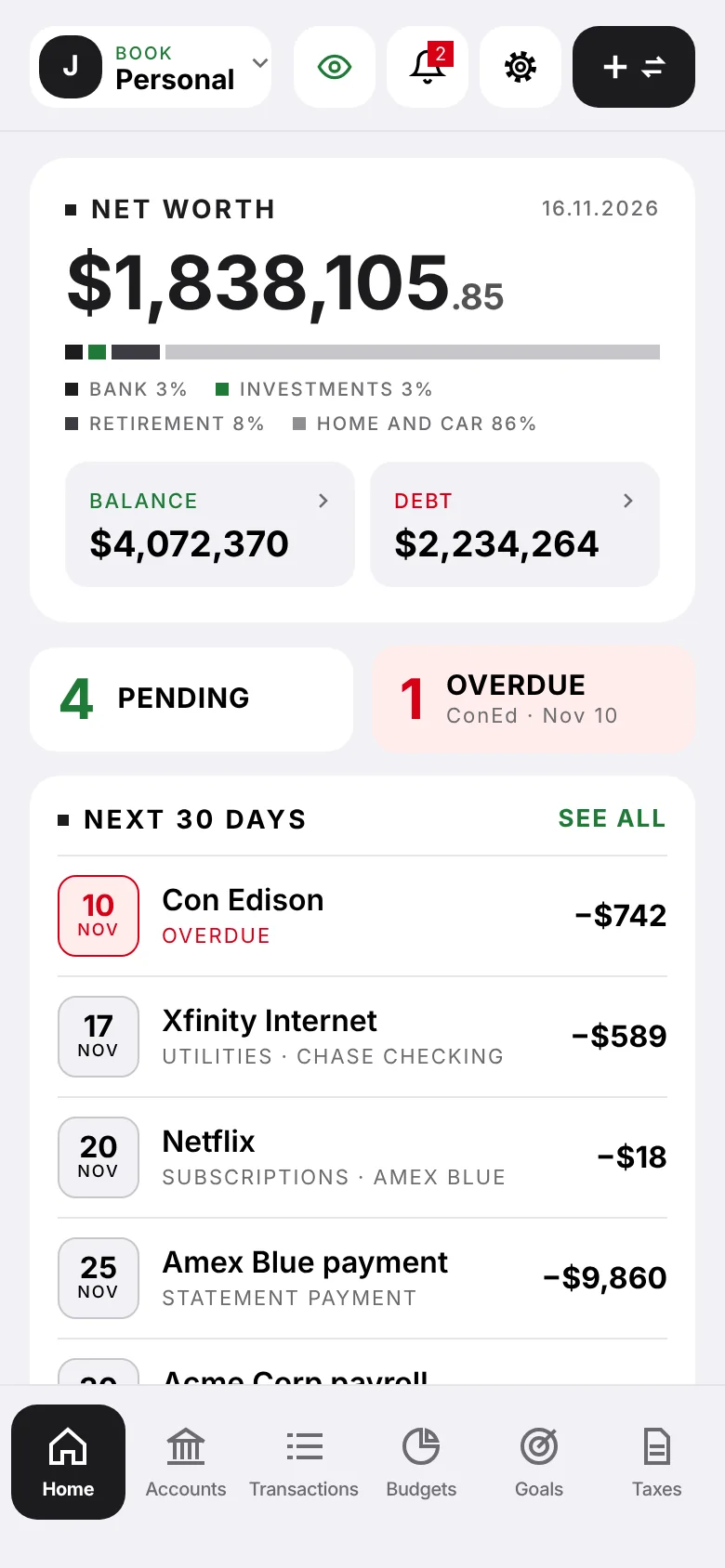
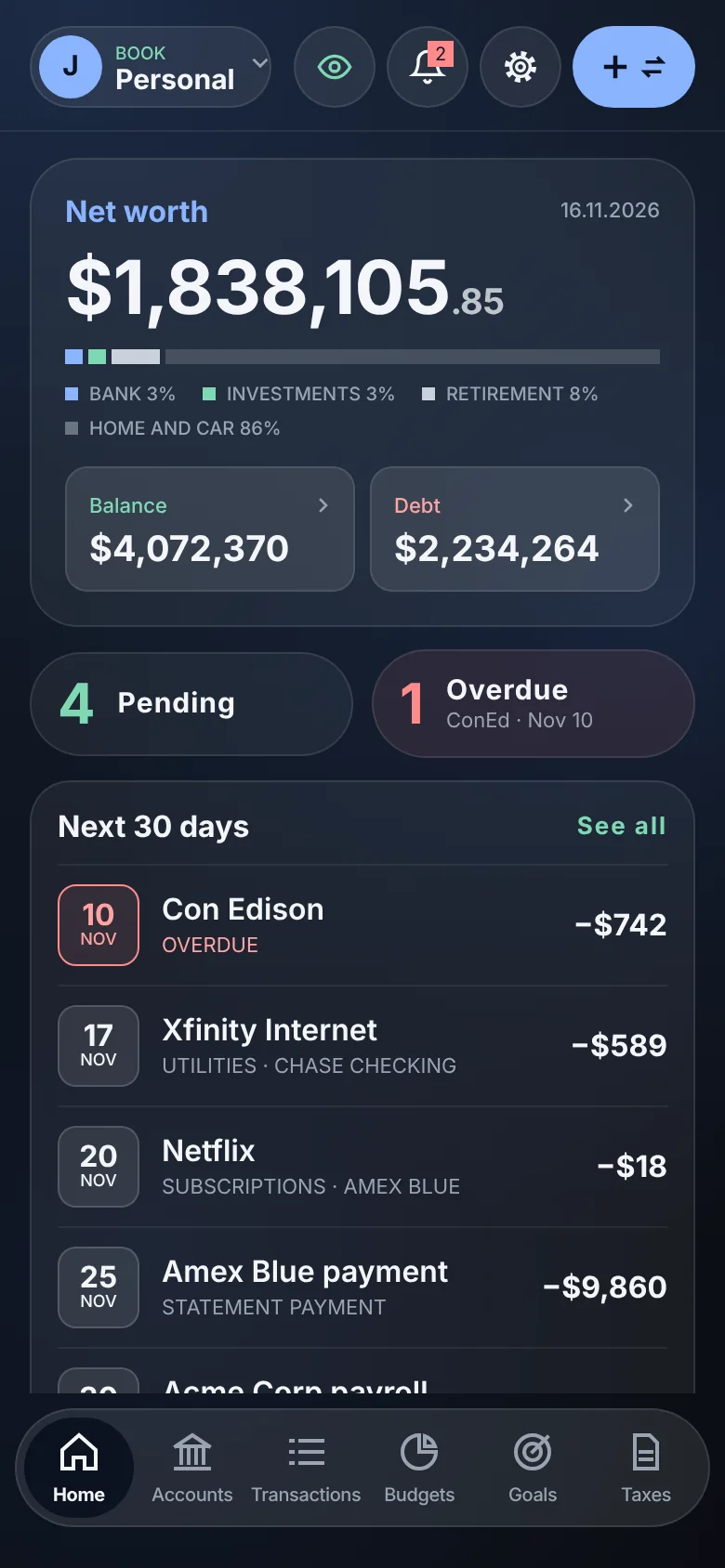
Change the look of the whole app from Settings. Each theme has its own colors, typeface and way of drawing cards and buttons.

Neofin home in the theme Futuristic

FuturisticFree

Dark, with yellow and cyan neon, cut corners and bars made of cells.

Neofin home in the theme Elemental

ElementalFree

Light, with frosted glass cards over a pale blue background.

Neofin home in the theme Simplistic

SimplisticPro

Black and white, flat, with color only for income, debt and warnings.

Neofin home in the theme Glass

GlassPro

Dark and quiet, with translucent panels and round buttons.

Your data, protected

All your personal and tax data is protected on your phone and in your iCloud account. Neofin has no access to your data.

No sign-up

Open the app and start. We never ask for an email, phone number or password.

No tracking

No third-party ads, no analytics and no selling data.

Face ID

Lock the app with Face ID or your iPhone passcode.

Hide amounts

One tap hides every amount when someone is looking at your screen.

Backup

Daily copies on your iPhone and one copy in your own iCloud, which you can protect with a password.

Your data is yours

Export everything to a file or erase everything from Settings.

A closer look

Frequently asked questions

Do I need to create an account?

No. Neofin works without sign-up. Install the app, add your first account and you are set.

Does Neofin connect to my bank?

No. You enter your accounts and transactions yourself, so Neofin never asks for your online banking password.

Where is my information stored?

In a database on your iPhone, protected by the system’s encryption. The backup copy is kept in your own iCloud. We never receive or see your data.

What happens when I get a new iPhone?

Install Neofin on the new iPhone with the same iCloud account. The app finds your copy and offers to restore your data. If you set a backup password, it asks for it.

Is Neofin free?

Yes. Accounts, transactions, budgets, goals, loans and reports are free. Pro is a one-time purchase that adds several books and currencies, tax figures with invoices, automatic rules, export and more themes.

Does Neofin use the internet?

Yes, for two things: keeping your backup in iCloud and downloading currency exchange rates.

Do the tax figures replace my accountant?

No. They are estimates so you know where you stand and which invoices are missing. You still file the official return with your tax authority or through your accountant.

Which countries does Neofin work in?

Accounts, budgets, goals and loans work in any country and any currency. Tax estimates follow each country’s rules: Mexico is available today and the United States is next.
Start with your first account

Adding it takes a minute. You fill in the rest as you go.

For iPhoneComing soon to the App Store